

अगर आप blogging, YouTube, affiliate marketing या SEO सीख रहे हैं,
तो “Keyword Research” वो skill है जो आपकी online journey को define करती है।
Keyword वो bridge होता है जो user के सवालों को search engine से जोड़ता है।
अगर आप सही keywords चुनते हैं तो आपका content आसानी से rank करता है और targeted audience तक पहुँचता है।
Keyword Research का मतलब सिर्फ “search volume” देखना नहीं है —
बल्कि user intent, competition, CPC value और traffic potential को समझना भी है।
2025 में जब AI tools और Voice Search तेजी से बढ़ रहे हैं,
तो सही keyword चुनना पहले से ज़्यादा जरूरी हो गया है।
और सबसे अच्छी बात — इसके लिए कई Best Free Keyword Research Tools उपलब्ध हैं
जो beginners के लिए perfect हैं।
इस guide में हम सीखेंगे —
👉 Free keyword research tools का यूज़ कैसे करें,
👉 कौन सा tool beginners और bloggers के लिए best है,
👉 और pro-level SEO strategies जो आपको Google पर जल्दी rank करने में help करेंगी।
Keyword Research क्या है (Definition + Simple Example)
Keyword Research वो process है जिसमें हम ये पता करते हैं कि लोग Google, Bing, YouTube या अन्य platforms पर क्या search कर रहे हैं।
इससे हमें ये समझ आता है कि हमारी audience क्या चाहती है और हमें किस topic पर content बनाना चाहिए।
Example:
अगर आप “blogging” niche में हैं, तो लोग search करते हैं –
- “blog kaise banaye”,
- “blogging se paise kaise kamaye”,
- “best blogging platform” आदि।
अब अगर आप इन keywords को identify कर लें,
तो आप ऐसे topics पर article या video बनाकर Google पर जल्दी rank कर सकते हैं।
यही Keyword Research की power है —
ये आपके content को direction और purpose देती है।
Keyword Research का Short History
पहले के जमाने में SEO experts keyword stuffing करते थे — यानी एक ही keyword को बार-बार content में डालते थे।
लेकिन Google के algorithm updates जैसे Panda, Hummingbird, और RankBrain आने के बाद,
अब focus सिर्फ quantity पर नहीं बल्कि relevance और intent पर है।
आज keyword research सिर्फ data collection नहीं बल्कि user behavior analysis है।
Search engine अब समझते हैं कि user वास्तव में क्या चाहता है —
तो smart keyword research का मतलब है — long-tail keywords, semantic keywords, और question-based searches को पहचानना।
How Keyword Research Works (Step-by-Step)
- Niche Choose करें – सबसे पहले अपने topic या industry को define करें।
- Seed Keyword ढूंढें – जैसे “SEO”, “Blogging”, “Fitness”, “Digital Marketing” आदि।
- Tools का Use करें – अब free keyword research tools से related keywords निकालें।
- Competition Check करें – देखें कौन से keywords आसान हैं rank करने के लिए।
- Content Planning करें – उन keywords पर content बनाएं जहाँ competition कम हो लेकिन search volume decent हो।
Why Keyword Research is Important (2025 SEO Perspective)
Keyword research से आपको यह पता चलता है कि audience क्या चाहती है।
अगर आप randomly content बनाते हैं, तो वो rank नहीं करेगा क्योंकि उसमें search demand नहीं होती।
👉 Keyword research से:
- आप targeted traffic ला सकते हैं,
- अपने CTR (Click-Through Rate) बढ़ा सकते हैं,
- और अपने blog की authority बढ़ा सकते हैं।
आज हर सफल blogger जैसे Neil Patel, Harsh Agrawal या Brian Dean keyword research पर focus करते हैं।
क्योंकि अगर keyword गलत चुन लिया, तो content कितना भी अच्छा क्यों न हो — rank नहीं करेगा।
Best Free Keyword Research Tools (2025 Edition)
अब जब हमने समझ लिया कि keyword research क्या होती है और क्यों जरूरी है,
तो अब time है असली gems की list का — यानी best free keyword research tools की।
ये tools आपको ना सिर्फ keyword ideas देंगे बल्कि competition, CPC, trends और user intent भी समझने में help करेंगे।
आइए हर tool को detail में समझते हैं 👇
1. Google Keyword Planner – The King of Keyword Tools (Completely Free)
जब बात आती है keyword research की, तो सबसे पहला नाम जो हर expert के ज़ुबान पर आता है — वो है Google Keyword Planner।
यह Google Ads का official tool है, और इसे SEO professionals और marketers दोनों decades से use कर रहे हैं।
इसका सबसे बड़ा फायदा है — यह 100% free और authentic Google search data पर आधारित है।
इसलिए जो भी keyword volume या trend यह दिखाता है, वो सबसे ज्यादा accurate होता है।
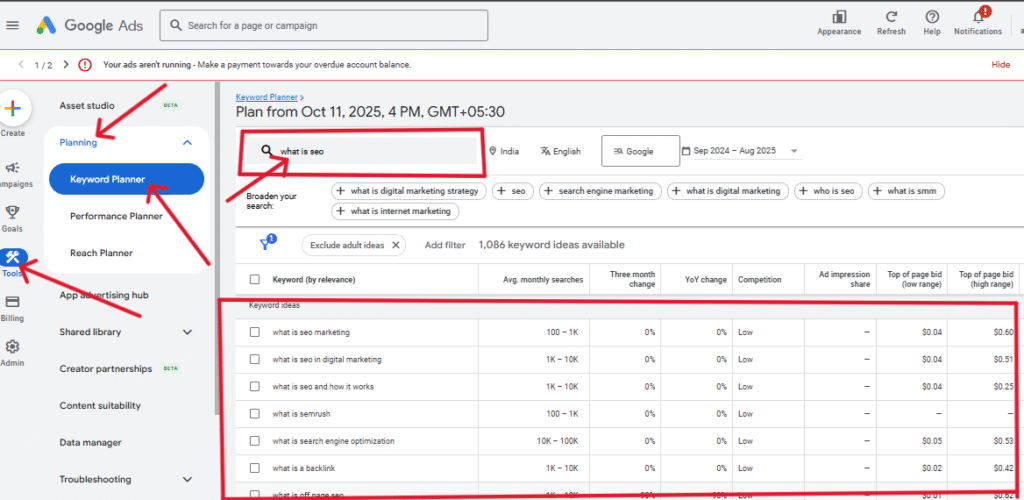
Google Keyword Planner आपको दो major चीजें बताता है —
- पहला, keyword का search volume range (monthly searches कितनी हैं),
- और दूसरा, उसका competition level (Low, Medium, High)।
यह tool आपको average CPC (Cost per Click) भी दिखाता है, जिससे आपको यह अंदाज़ा लगता है कि advertiser उस keyword के लिए कितना pay करने को तैयार हैं।
📌 Example के तौर पर, अगर आप “blog kaise banaye” डालते हैं,
तो यह tool आपको related keywords जैसे “free blogging site”, “WordPress blog setup”, “blog SEO tips” आदि सुझाएगा।
इससे आपको पता चलेगा कि audience किस direction में ज्यादा search कर रही है।
💡 Pro Tip:
Google Keyword Planner को सिर्फ PPC के लिए मत सोचिए —
अगर आप इसे smart तरीके से use करें, तो organic SEO के लिए ये absolute goldmine है।
बस “Low Competition + High Search Volume” वाले keywords पर focus करें।
ऐसे keywords आपको जल्दी rank कराएंगे और organic traffic बढ़ाएंगे।
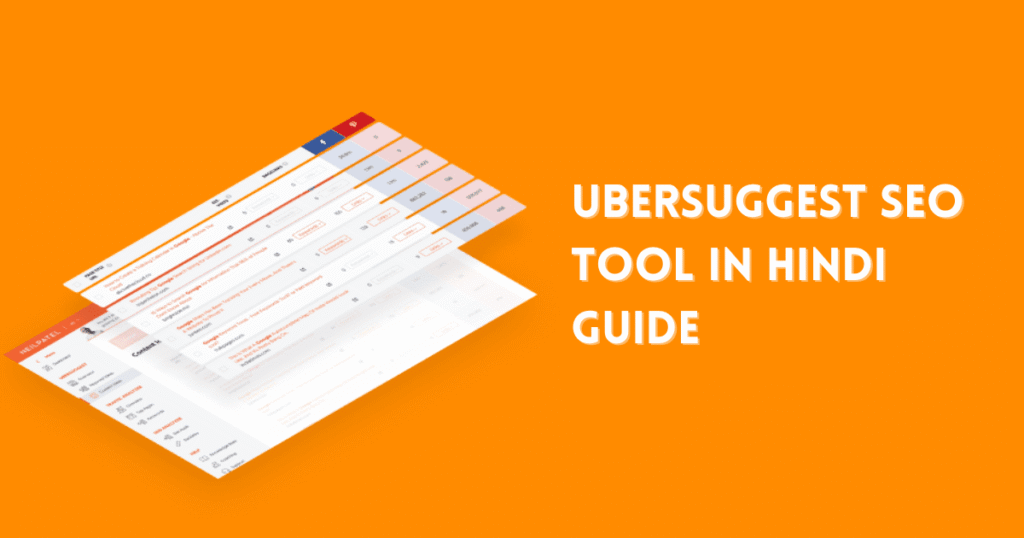
2. Ubersuggest – Neil Patel का SEO Powerhouse Tool
अगर आप beginner हैं और आपको free + easy-to-use keyword research tool चाहिए,
तो Ubersuggest एक perfect option है।
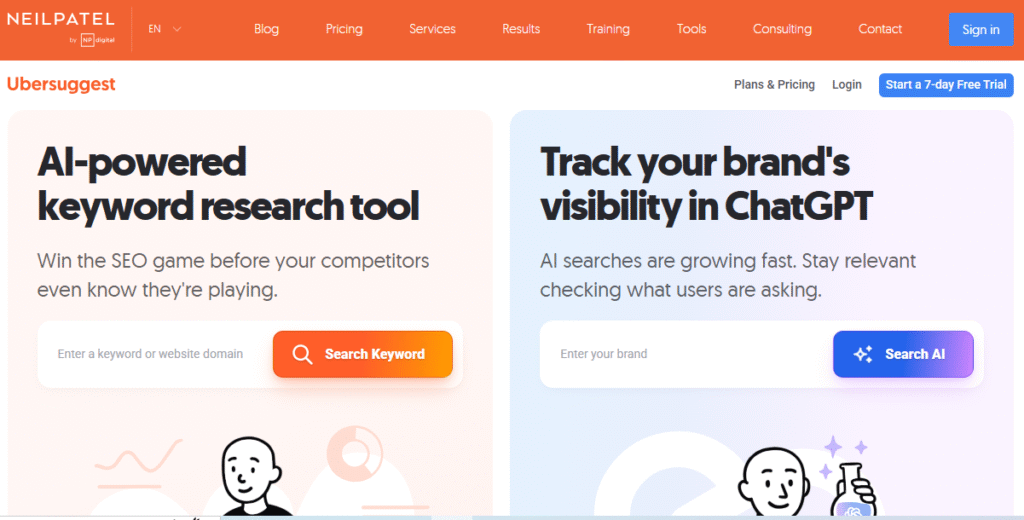
यह digital marketing expert Neil Patel का tool है, जो keyword ideas, content suggestions, domain overview और backlink analysis जैसी कई चीज़ें एक साथ देता है।
Ubersuggest की खासियत है कि यह keyword के साथ-साथ उसका SEO Difficulty, Paid Difficulty, CPC, और Search Volume trend भी दिखाता है।
Free version में आप हर दिन कुछ limited searches कर सकते हैं — जो beginners के लिए काफी है।
📌 उदाहरण के लिए, अगर आप “fitness tips” keyword डालते हैं,
तो Ubersuggest आपको dozens of related long-tail keywords दिखाएगा — जैसे “home workout plan for beginners”, “fat loss exercises for women”, “diet plan for weight loss” आदि।
हर keyword के साथ आपको उसकी monthly search volume और difficulty score भी दिखेगा।
Ubersuggest में एक unique feature है — Content Ideas Tab,
जहाँ यह आपको बताता है कि कौन से blog posts या pages उस keyword पर rank कर रहे हैं और उन्होंने कितने social shares या backlinks हासिल किए हैं।
यह feature आपको inspiration देता है कि आपका next blog post किस तरह का होना चाहिए।
💡 Pro Tip:
“Keyword Ideas” में जाकर “Questions” filter लगाइए —
आपको ऐसे search queries मिलेंगी जो लोग literally Google पर पूछते हैं,
जैसे — “keyword research kaise kare?”
इन सवालों को blog के FAQ या heading में use करना SEO के लिए बहुत powerful होता है।
3. AnswerThePublic – Question Based Keyword Finder
अगर आप ऐसा tool ढूंढ रहे हैं जो बताता है कि लोग Google पर क्या सवाल पूछ रहे हैं,
तो AnswerThePublic आपके लिए best choice है।
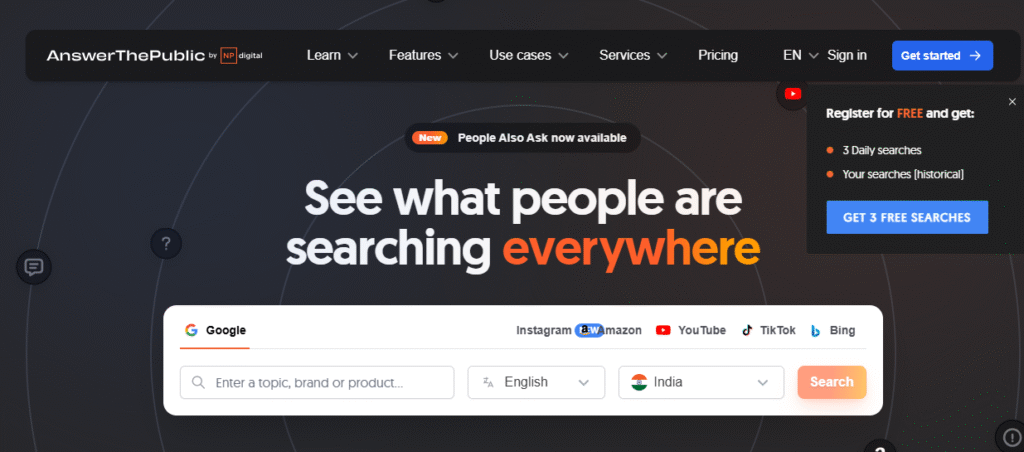
यह tool keyword को लेकर hundreds of question-based searches निकालता है,
जैसे — What, How, Why, When, Can, Where आदि variations।
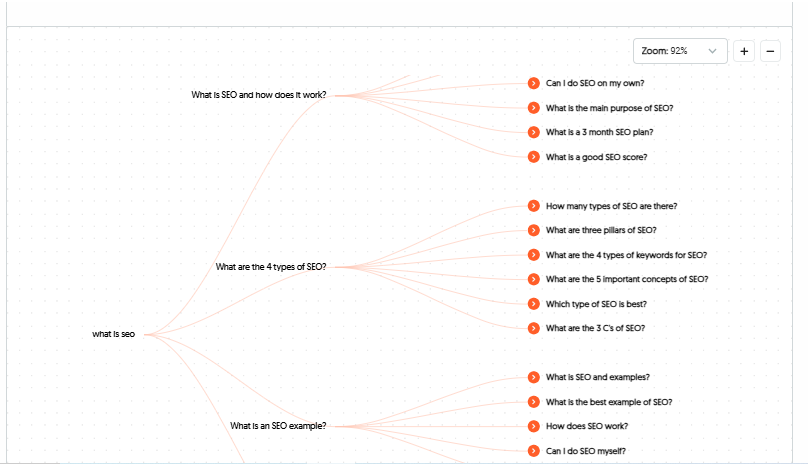
Example के तौर पर, अगर आप “Digital Marketing” keyword डालते हैं,
तो ये tool आपको दिखाएगा —
- “What is digital marketing?”
- “How does digital marketing work?”
- “Why digital marketing is important?”
- “Digital marketing tools free?”
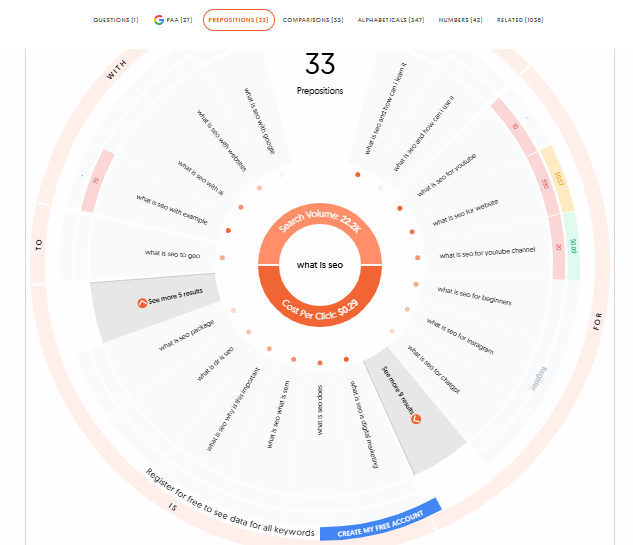
ये सारे questions आपके लिए perfect blog headings बन सकते हैं।
इसका सबसे अच्छा feature इसका visual keyword wheel है,
जहाँ ये सारे questions को एक mind map format में दिखाता है।
AnswerThePublic के data को आप content strategy के लिए use कर सकते हैं —
आपको पता चल जाएगा कि audience किस angle से उस topic को समझना चाहती है।
और अगर आप इन questions को blog, YouTube video या podcast में address करते हैं,
तो आपको guaranteed engagement मिलेगा क्योंकि ये pure user intent keywords हैं।
💡 Pro Tip:
इस tool को हिंदी keywords के साथ भी try करें जैसे “SEO kya hai” या “blog kaise banaye”।
आपको बहुत valuable Hinglish keyword variations मिलेंगे जो बहुत जल्दी rank करते हैं।
4. Google Trends – Trending Keyword Tracker (Free Forever)
कभी-कभी keyword research में सिर्फ volume नहीं, बल्कि timing भी मायने रखती है।
और timing समझने के लिए Google का सबसे powerful free tool है — Google Trends।
यह आपको किसी भी keyword की popularity time के साथ दिखाता है —
मतलब वो keyword बढ़ रहा है या उसकी popularity गिर रही है।
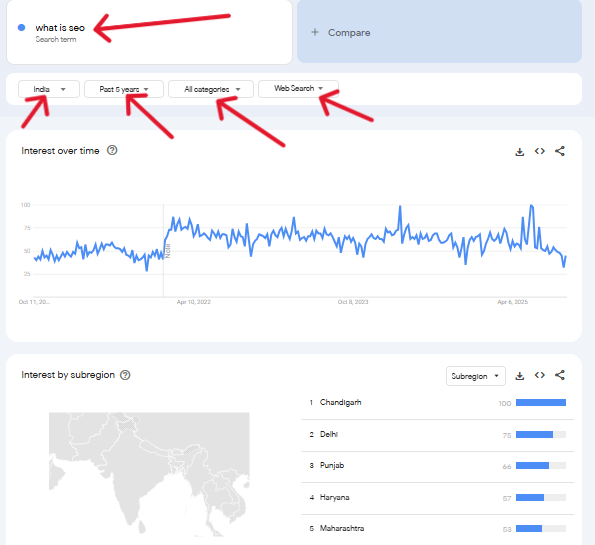
📌 Example: अगर आप “AI Tools” या “ChatGPT alternatives” सर्च करते हैं,
तो Google Trends आपको पिछले 12 महीनों का trend graph दिखाएगा।
इससे आप समझ सकते हैं कि कौन सा keyword अभी “hot” है और कौन सा slowly fade हो रहा है।
इसके अलावा, ये region-wise data भी दिखाता है —
जैसे कौन से राज्य या देश में वो keyword सबसे ज्यादा search किया जा रहा है।
अगर आप regional content बनाते हैं, तो ये data बहुत काम आता है।
Google Trends आपको related topics और related queries भी दिखाता है,
जिससे आपको नए keyword ideas मिलते हैं जो आपके competitors को शायद अभी तक नहीं मिले हों।
💡 Pro Tip:
“Compare” option का use करके दो या तीन keywords को एक साथ analyze करें —
जैसे “SEO tools” vs “AI SEO tools” —
इससे आप keyword का future potential समझ पाएंगे और अपनी content strategy उसी हिसाब से बना पाएंगे।
5. KeywordTool.io – Autocomplete Based Keyword Generator
अगर आप long-tail keyword ideas ढूंढ रहे हैं,
तो KeywordTool.io आपके लिए perfect tool है।
यह Google, YouTube, Bing, Amazon और App Store के autocomplete data को analyze करके आपको keyword suggestions देता है।
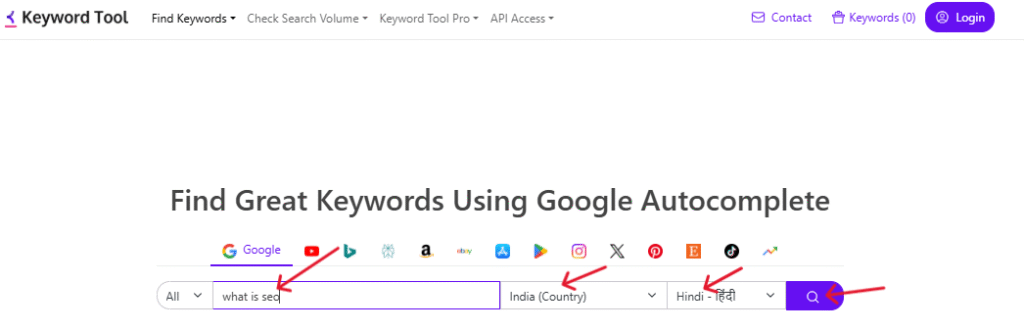
उदाहरण के लिए, अगर आप “Blogging” डालते हैं,
तो यह tool आपको related phrases देगा जैसे —
“blogging for beginners”, “blogging tips in Hindi”, “how to earn money from blogging” आदि।
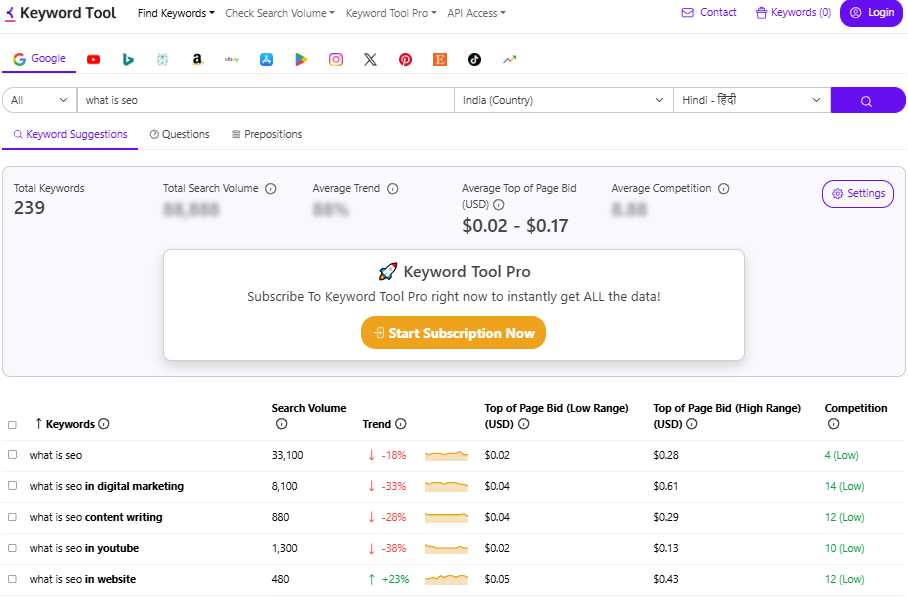
इसका मतलब यह tool actual users के real searches पर आधारित data देता है,
जो आपको audience demand के बहुत करीब ले जाता है।
KeywordTool.io में आप filters का इस्तेमाल करके specific platforms चुन सकते हैं —
जैसे सिर्फ YouTube के लिए keywords चाहिए या सिर्फ Amazon के लिए।
इससे आप targeted content strategy बना सकते हैं।
💡 Pro Tip:
Free version आपको limited data दिखाता है लेकिन इतना काफी है कि आप keyword direction तय कर सकें।
अगर आप Hindi content creator हैं, तो Hindi words और English words को mix करके keyword डालें —
जैसे “keyword research kaise kare” —
इससे आपको best Hindi SEO keywords मिलेंगे जो Google पर तेजी से rank करते हैं। 🚀
6. Ahrefs Free Keyword Generator – Premium Accuracy for Free Users
Ahrefs दुनिया के सबसे advanced SEO tools में से एक है,
लेकिन इसका Free Keyword Generator feature beginners के लिए jackpot से कम नहीं है।
यह tool आपको top 100 keyword ideas देता है — साथ में Keyword Difficulty (KD) और Search Volume भी दिखाता है।
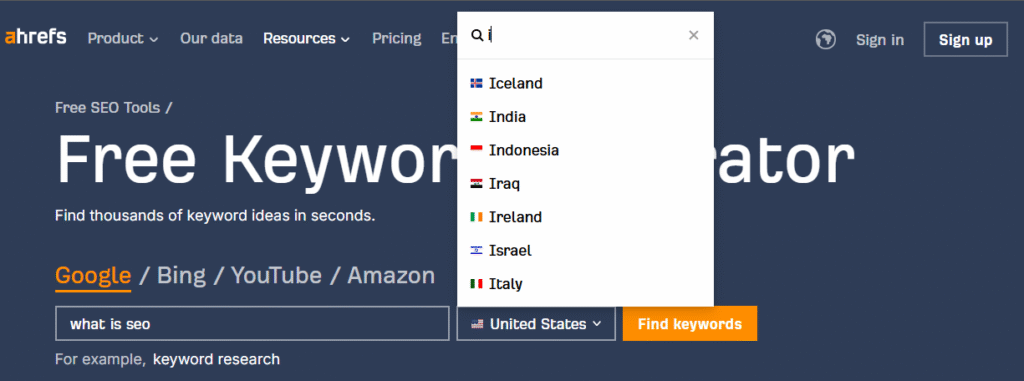
इसकी खासियत है इसका accuracy level।
Ahrefs का database billions of keywords का है —
इसलिए इसके data पर भरोसा किया जा सकता है।
अगर आप “YouTube SEO” keyword डालते हैं,
तो यह आपको related keywords जैसे “YouTube SEO tips”, “video optimization tools”, “rank videos fast” आदि देगा।
Ahrefs में “Questions” tab भी है जो आपको question-based keywords दिखाता है।
ये keywords आपके blog के FAQ या headings में डालने के लिए best रहते हैं।
इससे आपका article Google के “People Also Ask” section में feature हो सकता है।
💡 Pro Tip:
Free keyword generator के साथ Ahrefs का “SERP overview” जरूर देखें —
इससे आपको पता चलेगा कि top ranking pages कौन से हैं और उनका content structure कैसा है।
आप उन pages को analyze करके अपने blog में better version बना सकते हैं — यही smart SEO होता है।
How to Use These Keyword Research Tools Together (Step-by-Step SEO Workflow)
अब तक आपने ये समझ लिया कि हर keyword tool का अपना अलग purpose और strength होता है।
लेकिन real SEO magic तब होती है जब आप इन tools को एक साथ strategically use करते हैं।
अक्सर beginners सिर्फ एक tool पर भरोसा करते हैं और फिर confuse हो जाते हैं कि कौन सा keyword सही है।
इसलिए यहाँ मैं आपको बताऊँगा — एक perfect workflow जिससे आप accurate, traffic-driving, और rank-worthy keywords निकाल पाएंगे।
Step 1: Start with Google Trends – Find What’s Hot Right Now
सबसे पहले आपको Google Trends में जाकर यह समझना चाहिए कि कौन सा topic या niche अभी trend कर रहा है।
उदाहरण के लिए, अगर आप blogging niche में हैं, तो आप “SEO tools”, “AI writing tools”, या “keyword research” compare करके देख सकते हैं कि कौन सा keyword बढ़ रहा है।
इससे आपको clear idea मिलेगा कि किस topic पर content बनाना अभी profitable रहेगा।
💡 Pro Tip:
Google Trends के “Related Queries” section में आपको ऐसे rising keywords मिलेंगे जो अभी fast grow हो रहे हैं लेकिन competition कम है।
इन्हें target करना सबसे smart SEO strategy होती है।
Step 2: Use Google Keyword Planner for Volume & CPC Data
अब जब आपने trending topics चुन लिए,
तो अगला step है — उनका search volume और CPC check करना।
इसके लिए सबसे authentic source है — Google Keyword Planner।
यह आपको बताएगा कि किसी keyword की monthly searches कितनी हैं और competition कितना है।
इस data से आप keywords को तीन categories में बाँट सकते हैं —
- High Volume, High Competition
- Medium Volume, Medium Competition
- Low Volume, Low Competition
शुरुआत में आपको तीसरी category — Low Volume, Low Competition keywords — पर focus करना चाहिए।
ऐसे keywords जल्दी rank करते हैं और steady traffic लाते हैं।
Step 3: Ubersuggest + Ahrefs Free Tool for SEO Difficulty Analysis
अब आता है competition analysis का step।
यहाँ आप Ubersuggest और Ahrefs Free Keyword Generator का combo use करें।
दोनों tools आपको keyword difficulty (KD) score दिखाते हैं।
मान लीजिए आपको “Best Blogging Tools” keyword पसंद आया।
Ubersuggest में उसका KD 45 है, और Ahrefs में 47 — तो आप समझ सकते हैं कि keyword थोड़ा competitive है।
ऐसे में आपको long-tail variation देखना चाहिए जैसे “Best Blogging Tools for Beginners” या “Free Blogging Tools in Hindi”।
इस तरह keyword थोड़ा easy हो जाता है और targeted traffic भी आता है।
💡 Pro Tip:
Ubersuggest के “Content Ideas” section में जाकर देखें कि उस keyword पर कौन से articles already rank कर रहे हैं —
फिर उनका content analyze करके उसका 10x better version बनाएं।
Backlinko यही strategy use करता है।
Step 4: AnswerThePublic + KeywordTool.io for Content Ideas
अब keyword तो मिल गया, लेकिन content angle क्या होगा?
यह समझने के लिए use करें — AnswerThePublic और KeywordTool.io।
AnswerThePublic आपको बताता है कि लोग उस topic से जुड़े कौन-कौन से सवाल पूछ रहे हैं,
और KeywordTool.io आपको उन सवालों के real keyword variations देता है।
📌 Example: अगर आपका keyword है “Affiliate Marketing”,
तो AnswerThePublic दिखाएगा —
- “Affiliate Marketing kya hota hai?”
- “Affiliate Marketing se paise kaise kamaye?”
- “Affiliate link kaise banaye?”
और KeywordTool.io आपको बताएगा —
“Affiliate marketing for beginners”, “Affiliate marketing tips in Hindi”, “Affiliate marketing ka best platform” आदि।
अब आपके पास content का full blueprint तैयार है —
main heading, subheading, FAQs, सब कुछ ready!
Step 5: Filter Keywords with Realistic Goals
अब तक आपके पास dozens of keywords होंगे — लेकिन सबको target करना practical नहीं है।
इसलिए अब इन keywords को filter करें based on three main factors:
- Search Intent (User क्या चाहता है — info, buy, compare?)
- Competition Level (क्या आप realistically rank कर सकते हैं?)
- Relevance (क्या keyword आपके niche या audience के लिए relevant है?)
💡 Pro Tip:
हर keyword को Excel sheet में डालें — उसके साथ monthly volume, KD, CPC, और intent लिखें।
इससे आपको clarity मिलेगी कि कौन से keywords priority में आने चाहिए।
Top 10 keywords पर content बनाएँ और बाकी future posts के लिए रख लें।
Step 6: Implement Keywords in Your Content (On-Page SEO)
अब आपके पास final keyword list है, तो content में उन्हें smartly use करें।
लेकिन याद रहे — keyword stuffing नहीं, natural placement होनी चाहिए।
आपका Focus Keyword —
- Title में 1 बार
- First paragraph में 1 बार
- Subheading (H2/H3) में 1 बार
- Image Alt text में 1 बार
- Conclusion या FAQ में 1 बार
इससे आपका Rank Math या Yoast SEO score 90+ रहेगा।
और सबसे जरूरी बात — हमेशा content को human-first tone में लिखें।
Google अब AI content को नहीं, बल्कि value-based human content को reward करता है।
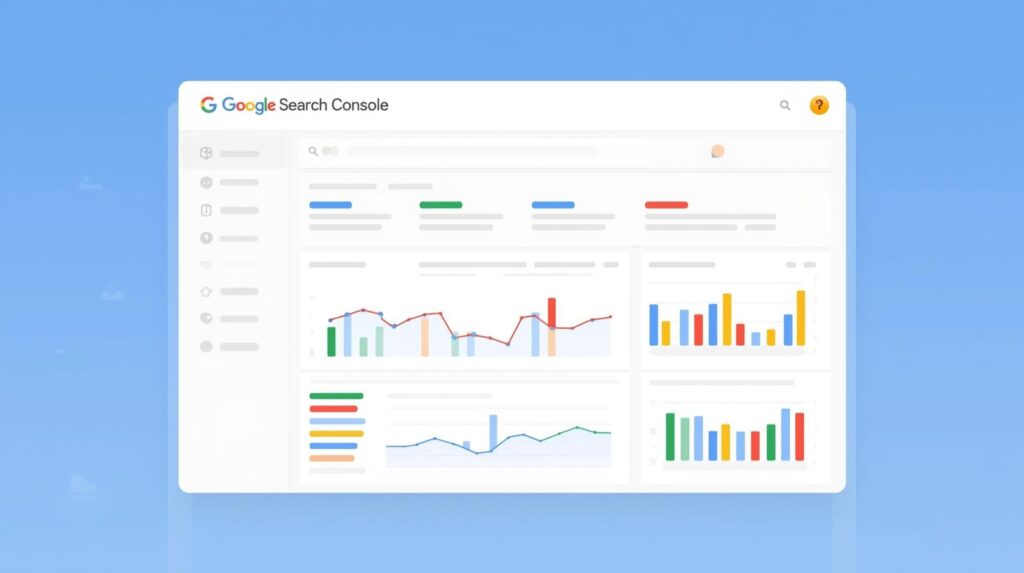
Step 7: Track & Optimize Using Google Search Console
अंत में, keyword research तभी complete मानी जाएगी
जब आप results को track करें और updates करें।
हर 15 दिन में Google Search Console में जाकर देखें कि कौन से keywords पर impressions और clicks आ रहे हैं।
जो keywords rank हो रहे हैं, उन्हें strengthen करें —
और जो impression तो ला रहे हैं पर click नहीं, उनके titles और meta descriptions update करें।
Keyword Competition Check कैसे करें
💡 Pro Tip:
हर 2–3 महीने में keyword research फिर से करें क्योंकि search trends बदलते रहते हैं।
AI tools और Google algorithms के कारण “evergreen keywords” भी बदल सकते हैं।
Regular updates से आपकी content relevancy बनी रहती है।
जब भी आप keyword चुनते हैं, competition को जरूर check करें।
High CPC वाले keywords में advertisers ज्यादा होते हैं, जिससे organic rank करना मुश्किल होता है।
Low competition और decent search volume वाला keyword ideal होता है।
आप Ubersuggest, Ahrefs Free Tool, या Google Keyword Planner में KD (Keyword Difficulty) score check कर सकते हैं।
आमतौर पर 30–40 KD वाले keywords beginners के लिए best रहते हैं।
Pro Tips: Keyword Research करते समय ये गलतियां न करें
- सिर्फ search volume देखकर keyword न चुनें। ✅
- CPC high होने का मतलब ये नहीं कि वो आपके niche के लिए perfect है। ✅
- कभी भी duplicate keywords पर content न बनाएं। ✅
- सिर्फ English keywords पर depend न रहें — Hindi keywords भी target करें। ✅
Bonus: Free Chrome Extensions for Keyword Research
- Keywords Everywhere – YouTube, Google, Amazon आदि पर keyword volume दिखाता है।
- Keyword Surfer – SERP में search volume और related keywords दिखाता है।
- MozBar – किसी keyword के top ranking pages का DA/PA दिखाता है।
इन extensions से आप real-time में competition और keyword potential समझ सकते हैं।
FAQs – Keyword Research Tools Related Common Questions
A: यह एक SEO tool होता है जो आपको बताता है कि लोग Google या YouTube पर क्या search कर रहे हैं।
A: Google Keyword Planner और Ubersuggest beginners के लिए best हैं।
A: नहीं। Free tools से भी आप smart SEO strategy बना सकते हैं।
A: क्योंकि ये low competition होते हैं और targeted audience लाते हैं।
A: बिल्कुल! Hinglish और Hindi mix keywords आज बहुत तेजी से rank हो रहे हैं।
Conclusion: Keyword Research Is the Heart of SEO Success
Keyword research किसी भी SEO strategy की foundation है।
अगर आपने सही keyword चुना, तो आधा SEO battle वहीं जीत लिया।
चाहे आप Google Keyword Planner से start करें या Ahrefs से,
important यह है कि आप data को समझें और उसे अपने content में सही जगह पर use करें।
Free keyword research tools आपको सिर्फ direction देते हैं —
लेकिन actual success तब मिलती है जब आप data को creativity के साथ combine करते हैं।
तो आज से practice शुरू करें —
हर topic के लिए 10–15 keywords निकालें,
उनका trend देखें, competition analyze करें, और फिर content बनाएं।
यही process आपको धीरे-धीरे Google के first page तक ले जाएगा। 🚀

“मैं Aashish Singh, एक passionate content creator और digital entrepreneur हूँ। मुझे Blogging, SEO और Affiliate Marketing का real-time अनुभव है और मैं अपने ब्लॉग पर step-by-step tutorials, case studies और earning tips share करता हूँ। मेरा mission है कि हर beginner blogger online दुनिया में अपना career बना सके।”
Discover more from Akblogger
Subscribe to get the latest posts sent to your email.